
Book it, confirm it, bill it. One record, trade to invoice.
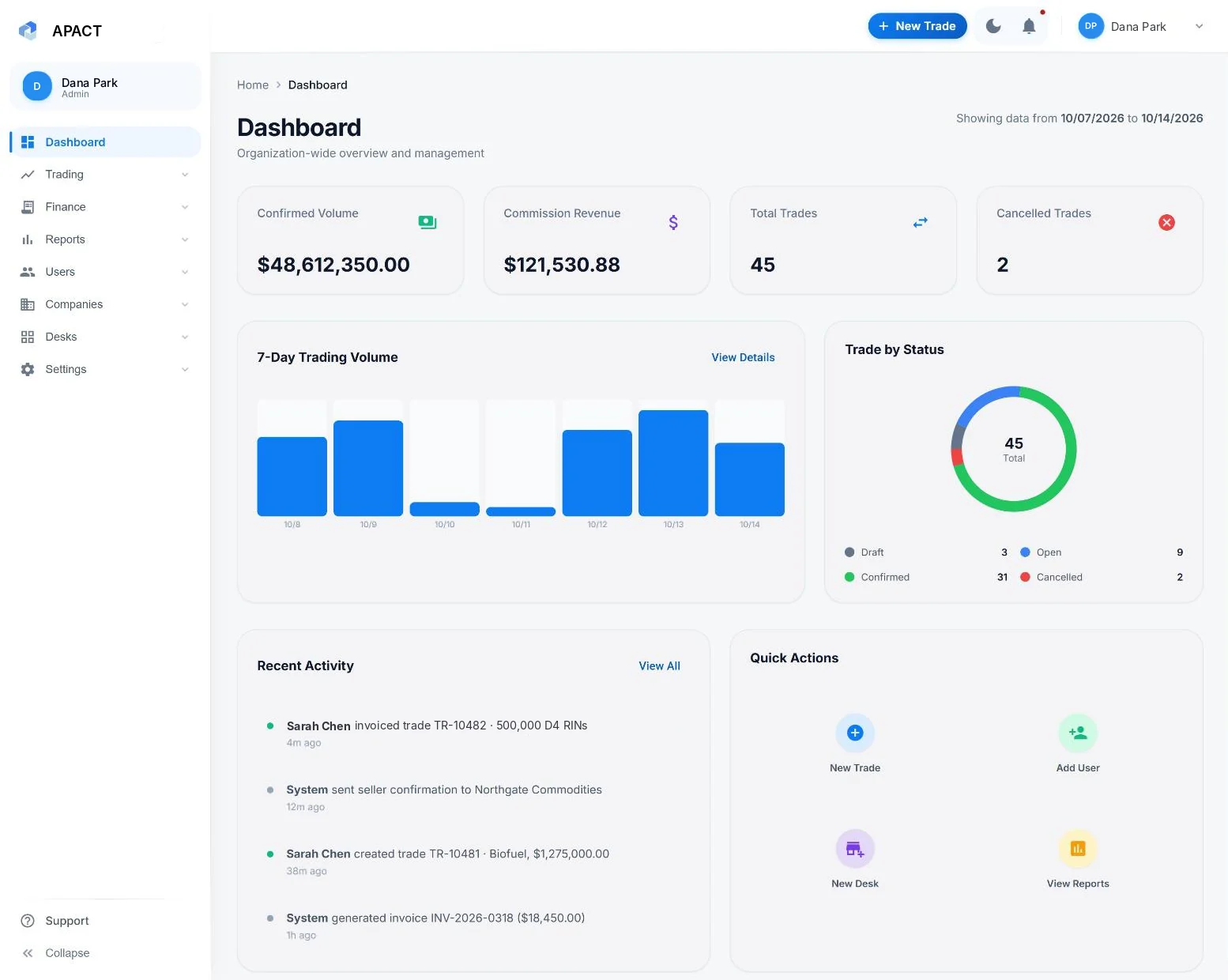
Enter the deal once, with both sides on the ticket. APACT emails the confirms, keeps commission ready to invoice and runs your end-of-day reports.
 View full size
Sample data with fictional companies.
The problem
Today, your team re-keys the same deal at every step
Into the blotter, onto the confirm, onto the invoice, then into the end-of-day totals. Every re-key is another chance for a wrong price, a wrong quantity or a deal that never gets billed.
APACT
Booked once, used from confirm to invoice
Trades · Confirms · Invoices · EOD reports · Audit trail
How it works
From done deal to end of day
Step 1 · Book
One ticket, both sides of the deal
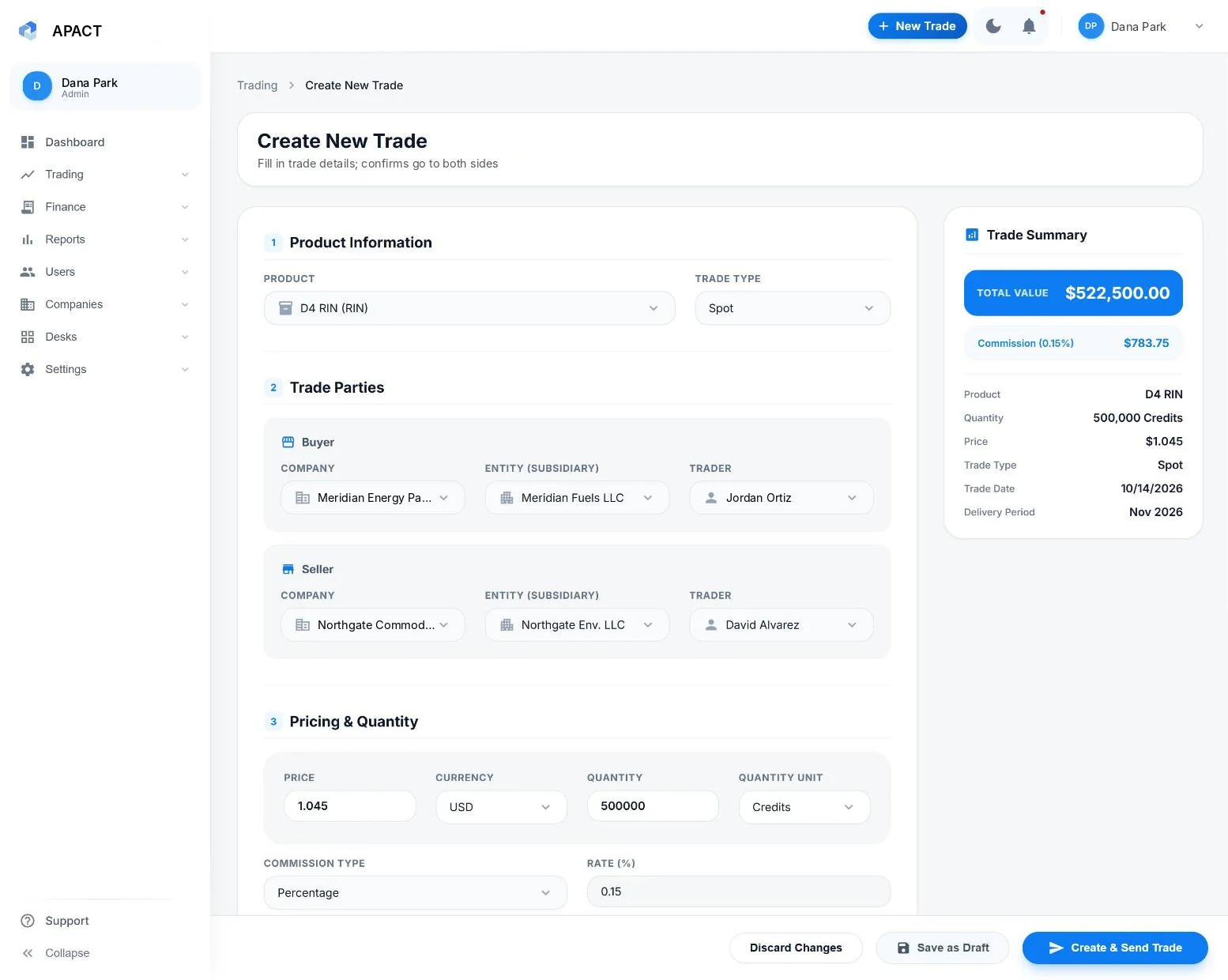
Pick the product, the buyer and the seller, then enter price, quantity, delivery and commission.
- Company, entity and trader for each side
- Trade value and commission worked out as you type
- Save a draft while terms aren't final
 View full size
Sample data with fictional companies.
Step 2 · Confirm
Confirms out to both sides, straight from the ticket
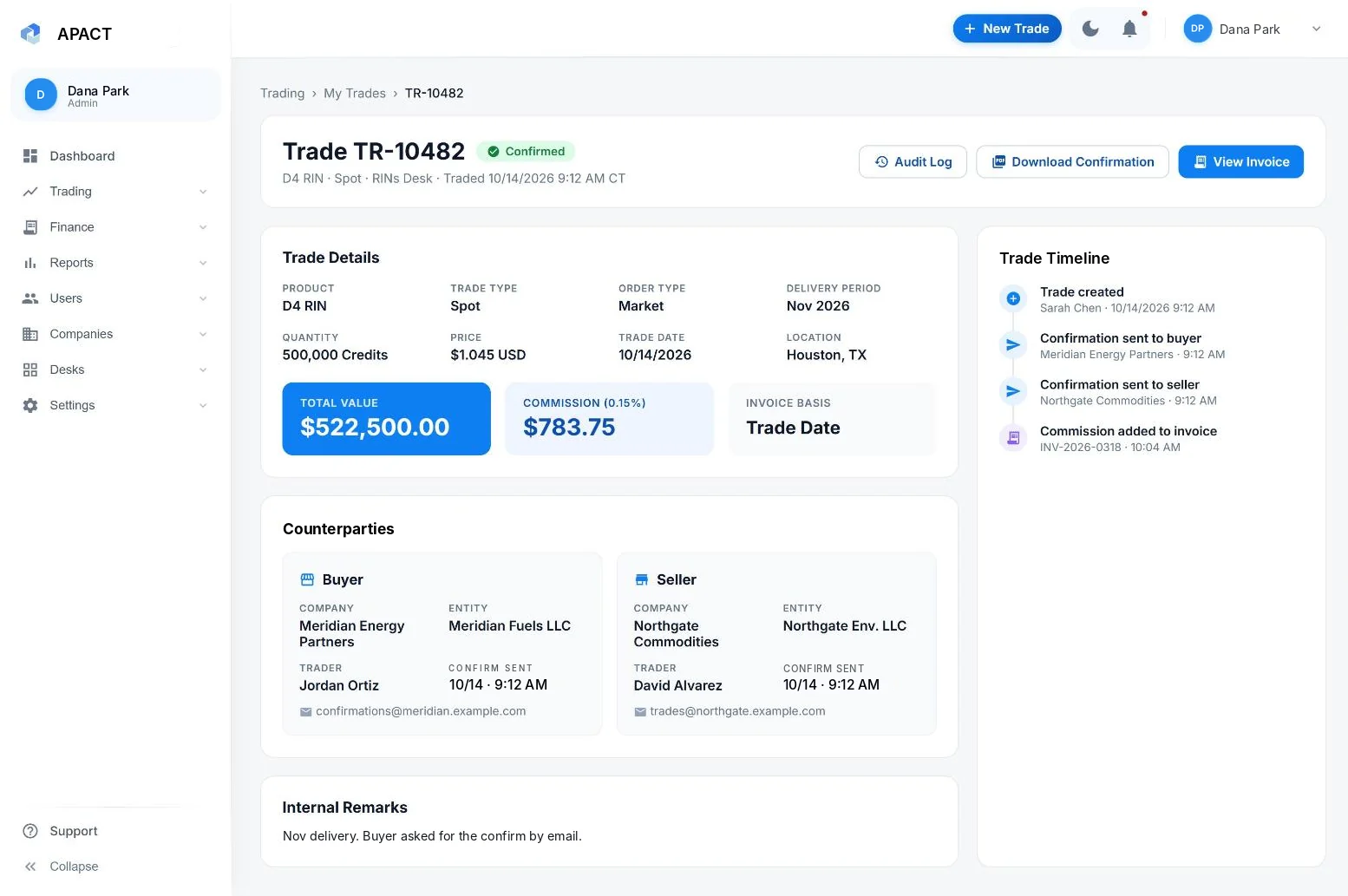
APACT builds the confirm from the ticket and emails it to the buyer and the seller, so the confirm always matches the trade.
- Emailed to the buyer and the seller from the ticket
- A timeline on every trade: created, submitted, confirm sent to each side
- Amend a trade and the revised confirm goes to both sides
 View full size
Sample data with fictional companies.
Step 3 · Bill
Bill each counterparty its commission
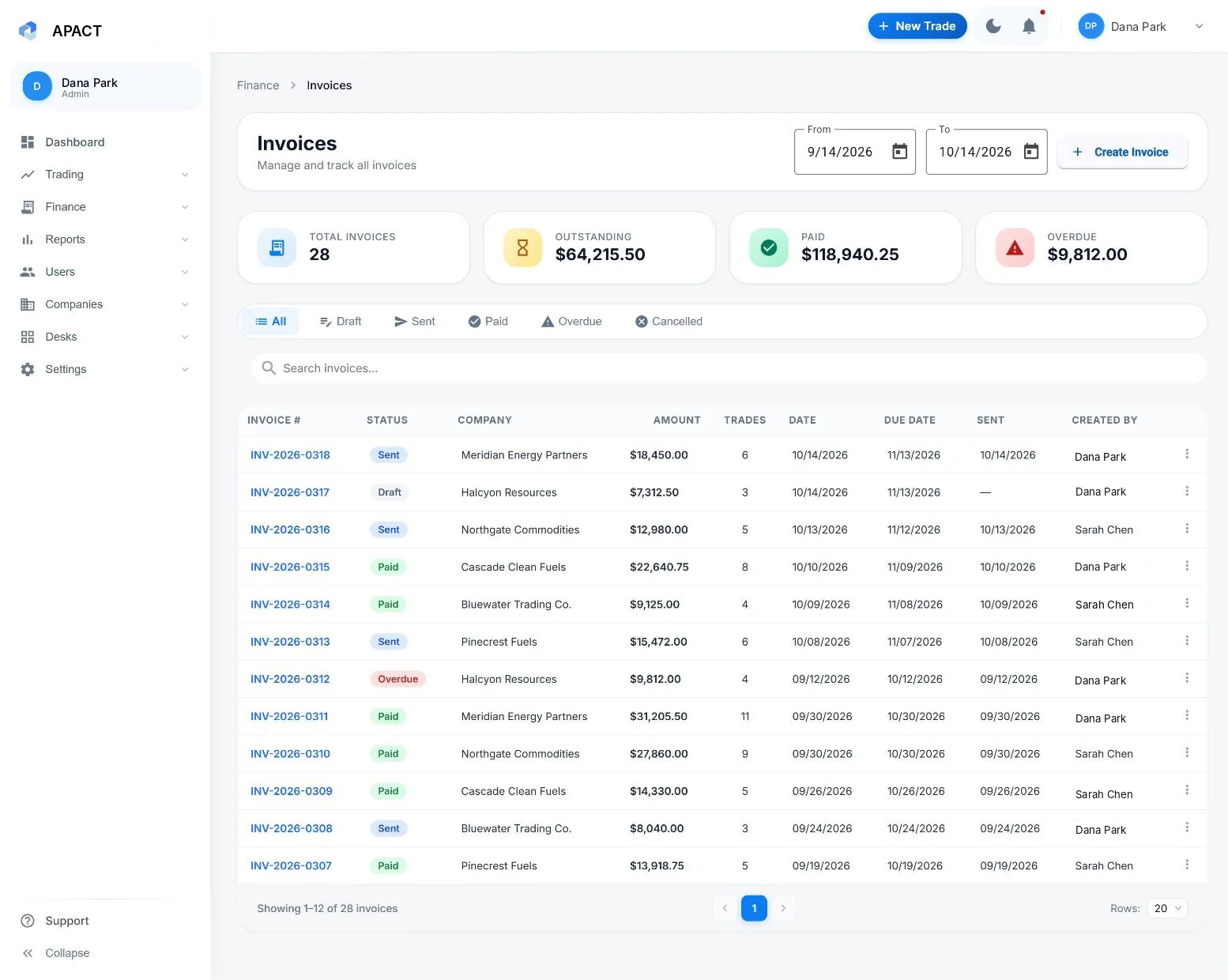
Commission stays with each trade until you bill. On your billing cycle, build each company's invoice from its trades for the period.
- An invoice for each counterparty company or entity
- Status from draft through sent, paid, overdue or cancelled
- Outstanding and overdue totals at the top
 View full size
Sample data with fictional companies.
Step 4 · Report
End-of-day reports for the firm and each broker
Reports every trading day for the whole firm, each desk and each broker, plus firm analytics for any date range.
- Trade value, commission and volume by product and broker
- Each broker's own report, with commission against target
- Top counterparties and traders, plus day, month and year changes
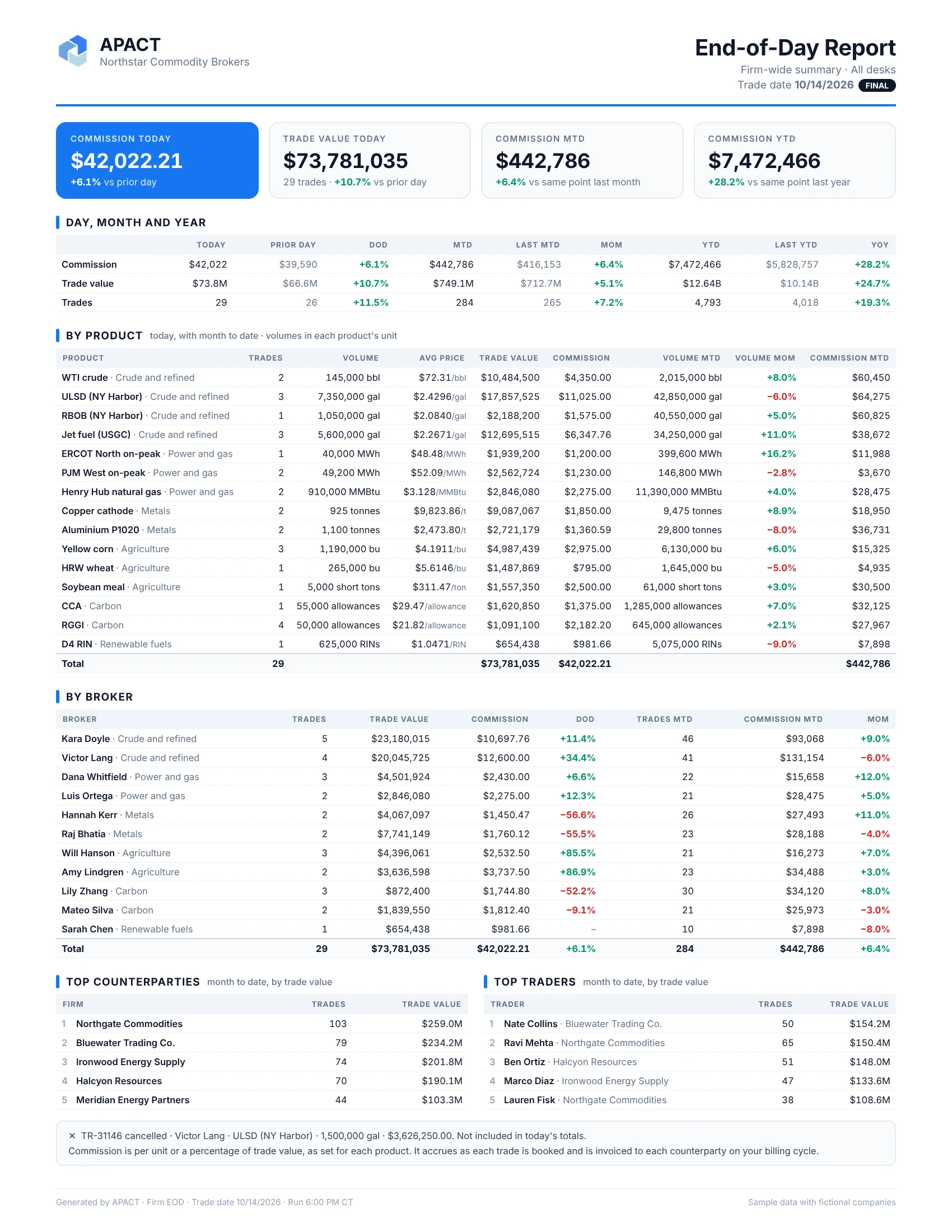
Sample data with fictional companies.
Security and access
Control who sees and changes what
MFA and SSO
Every user signs in to their own account with multi-factor authentication, or through your identity provider.
Roles and audit trail
Admin, manager, broker and auditor roles set who sees what, and every change is logged with user and time.
Encrypted and hosted
Data is encrypted in transit and at rest, on Microsoft Azure and Supabase. SOC 2 Type II is in development.
“The industry needs APACT. Nothing has changed in the back and middle office in decades.”
See how APACT fits your desk
A walkthrough with the APACT team, built around how your desk works today. APACT is in beta with a handful of brokerages, and we have room for a few more.
Prefer email? demo@apact.ai
What we'll cover
- A deal from ticket to confirm, using the products you broker
- How commission rates and invoices are set up for your desk
- End-of-day reports and the audit trail
- How your current blotter spreadsheet maps to APACT
FAQ
Common questions
Which commodities does APACT handle?
Energy, commodities and other bespoke OTC markets, from crude and refined products, power and gas to metals, agriculture, carbon and renewable fuels. We set up your products and units for each desk at onboarding. See markets →
How do confirms work?
APACT builds the confirm from the trade as booked and emails it to the buyer and the seller. Each send shows on the trade's timeline, and an amendment sends a revised confirm to both sides.
How is commission calculated?
However your desk charges it: a percentage of trade value, basis points, a flat amount or a rate per unit. APACT works out the dollars on each trade, and on your billing cycle you build each counterparty's invoice from its trades.
How is APACT priced?
Per broker seat, plus a platform fee that covers your ops, admin and owner seats. Counterparties, auditors and view-only users are free, and there are no per-trade fees. See pricing →
What does setup involve?
We set up your desks, products, counterparties and commission rates with you, so confirms, invoices and end-of-day reports work from day one.